An idea to make your own
Salon Price List Design: Examples & AI Prompts
Create a salon price list with a clear pairing between each service and its price. Sunday Studio uses a calm palette and a small hair-inspired line drawing.
Start creating Explore the examples ↓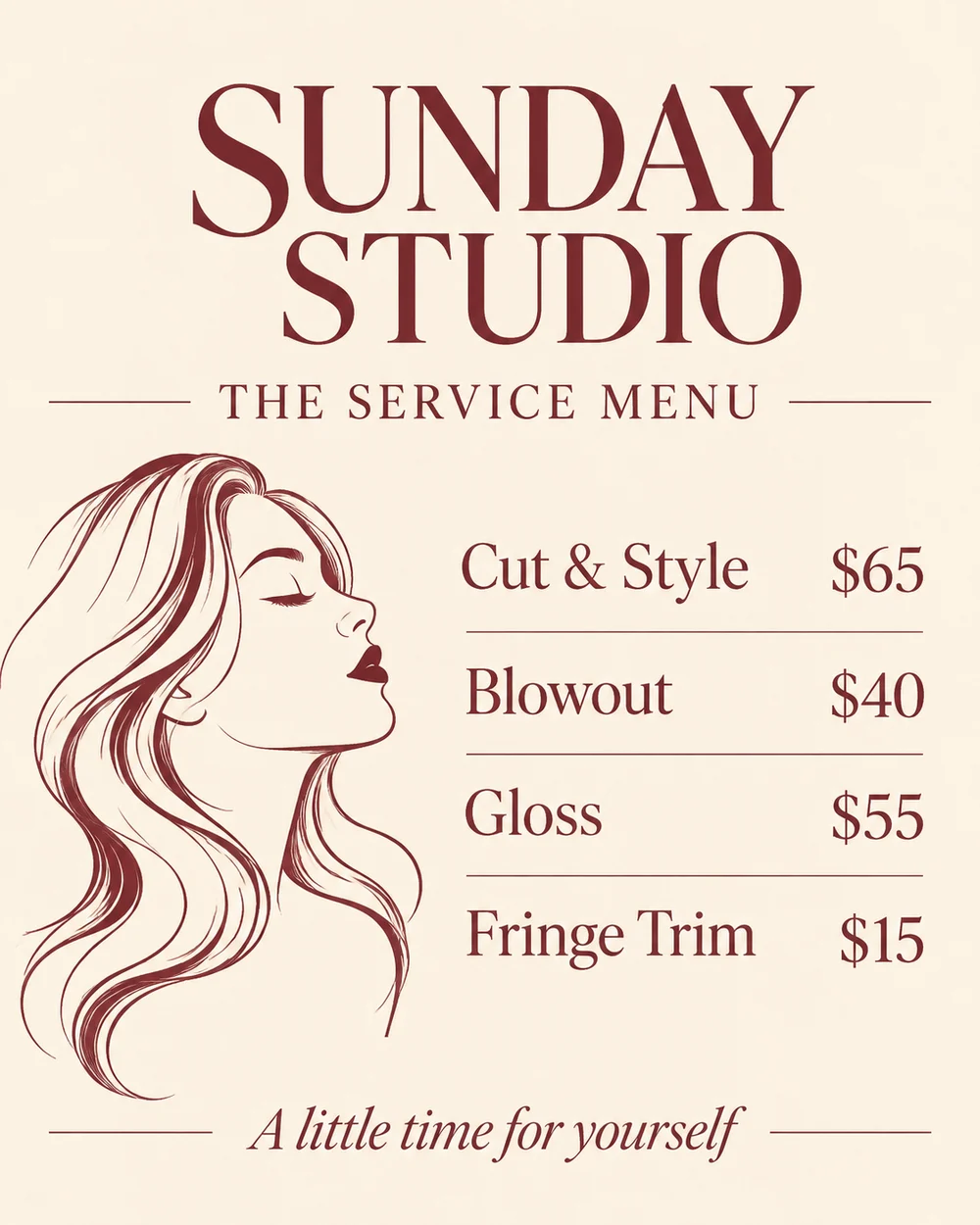
Bring the essentials
- Salon
- Service names
- Prices and qualifiers
Choose a visual direction and adapt the description before generating. Turn on optional design refinement if you want help with composition, colors or layout. Keep your facts and exact wording in the brief.
Organize the appointment decision
Group cuts, styling and color services when the list is long enough to need sections. Supply duration, starting-price wording or consultation requirements only when those details are correct.
Keep the typography working
A price list needs clear alignment more than decorative variety. Review the smallest text and confirm that every service has the right number beside it.
See the idea take shape
Explore the image. Open the prompt. Change the details that make it yours.
Sunday Studio price list
Original AI-generated example.
See the exact prompt
Make one original finished flat artwork, not a mockup. Use only the exact supplied text; do not invent prices, dates, contact details, claims or logos. All text must be readable. No watermark or AI label. An art-directed salon service list with cream background, burgundy modern serif type, simple curved hair-stroke line illustration, aligned prices, abundant space. Exact text: 'SUNDAY STUDIO', 'THE SERVICE MENU', 'Cut & Style $65', 'Blowout $40', 'Gloss $55', 'Fringe Trim $15', 'A little time for yourself'. No unlisted services, certifications, discounts or booking information.
A few useful answers
Can I show prices starting from an amount?
Yes. Include the exact 'from' wording rather than leaving the model to infer it.
Can I make an appointment card too?
Use the same visual direction with the specific booking details you want printed.