An idea to make your own
Happy Hour Flyer: Examples, Copy & AI Prompts
Create a Happy Hour flyer that puts the time window and prices beside an appetizing visual. The example uses warm light, a spritz and a short, specific offer.
Start creating Explore the examples ↓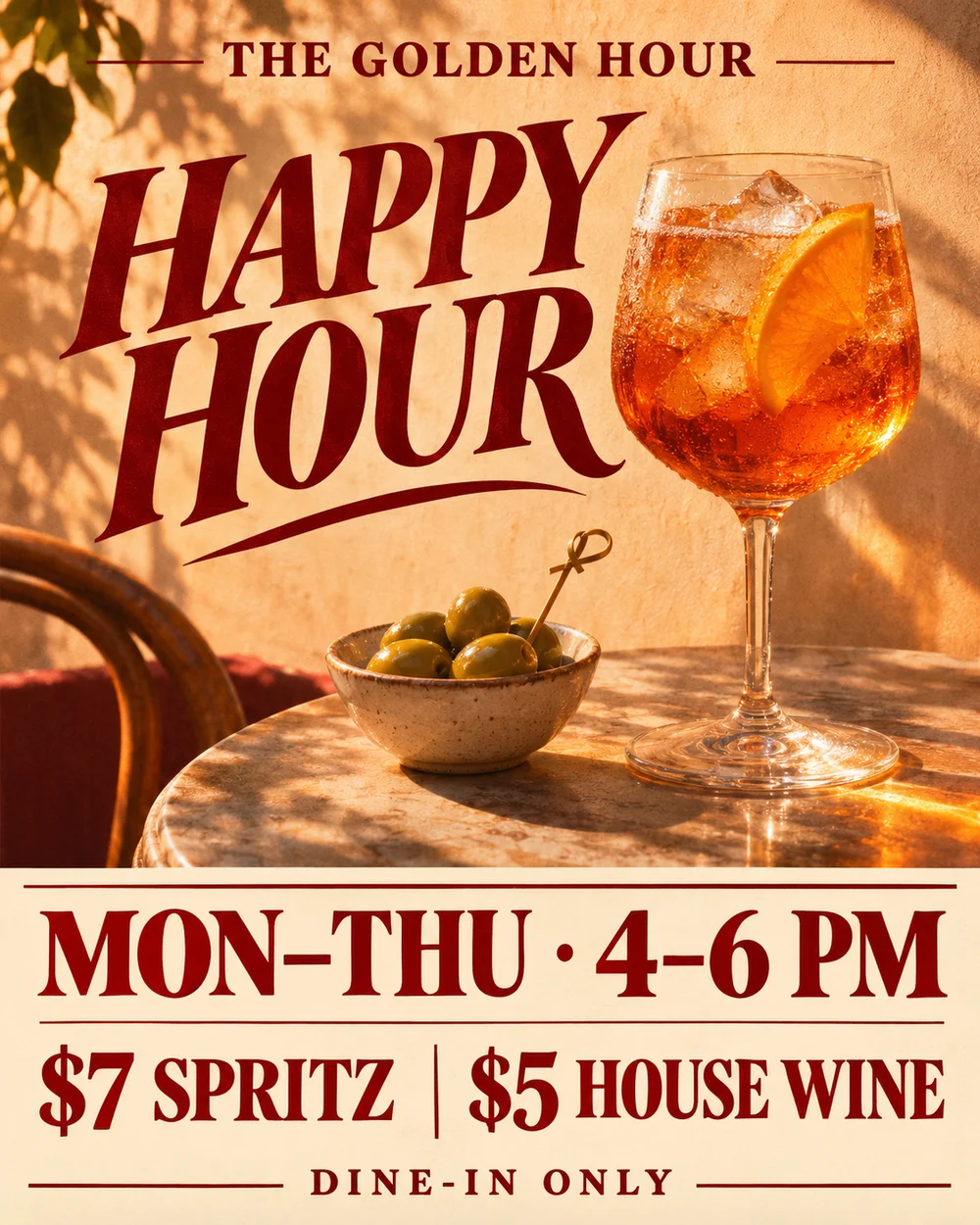
Bring the essentials
- Days and hours
- Exact prices
- Conditions
Choose a visual direction and adapt the description before generating. Turn on optional design refinement if you want help with composition, colors or layout. Keep your facts and exact wording in the brief.
Keep the terms visible
Supply days, hours, prices and any conditions such as dine-in only. Place them where someone can read them without hunting through a decorative border. Do not imply the photographed garnish or side is included unless it is.
Give the photograph one job
The image should establish the venue's mood and make the offer easy to imagine. Leave enough negative space for type rather than placing every fact over the drink.
See the idea take shape
Explore the image. Open the prompt. Change the details that make it yours.
Golden Hour happy hour flyer
Original AI-generated example.
See the exact prompt
Create one finished original 4:5 vertical Happy Hour flyer for a fictional bar named THE GOLDEN HOUR. Premium warm film-photography mood: a backlit amber spritz and small bowl of olives against apricot sunlight, deep wine-red type, sharply readable cream content block in lower third. Oversized expressive 'HAPPY HOUR' headline in the upper half, beautifully balanced type and hero drink. Exact visible copy: 'THE GOLDEN HOUR', 'HAPPY HOUR', 'MON–THU · 4–6 PM', '$7 SPRITZ', '$5 HOUSE WINE', 'DINE-IN ONLY'. The date range and two-hour window are crucial and must be large, not fine print. Two prices equally clear and attached to their offers. Finish feels like a distinctive real neighborhood bar campaign with tactile light, not a neon nightclub or template. No invented location, start date, music, discounts beyond provided offers, QR code, watermark, logos or mockup. Render the final flat artwork edge to edge.
A few useful answers
Can I adapt the same look for a weekly special?
Yes. Keep the visual direction and replace the approved availability, item and price.
Should I add an address or booking link?
Add them when they are relevant and confirmed. The model should not create contact information for you.