An idea to make your own
Open House Flyer: Photo, Facts & AI Prompts
Create a property open-house flyer around an accurate listing photo and essential visit information. The Linden Lane artwork is a fictional example of a clean property-first layout.
Start creating Explore the examples ↓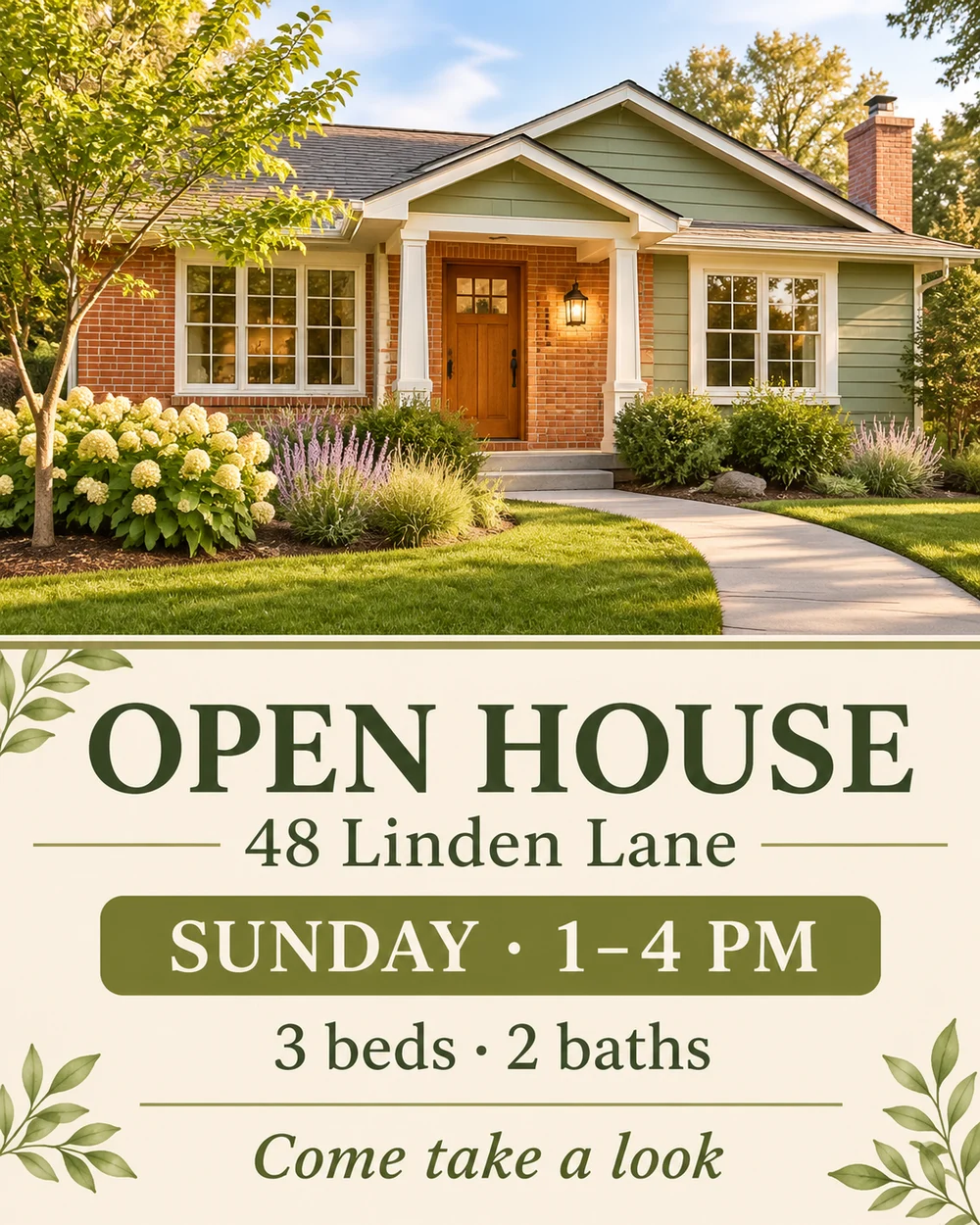
Bring the essentials
- Property image
- Address
- Visit time and approved details
Choose a visual direction and adapt the description before generating. Turn on optional design refinement if you want help with composition, colors or layout. Keep your facts and exact wording in the brief.
Use the real listing facts
Supply the address, viewing time and approved property details. If you upload a listing photo, explain which parts should stay unchanged. Generated concepts should not be mistaken for evidence of a real property's condition.
Keep the invitation visible
A large property photo can establish the setting while the address and visit hours remain readable below it. Avoid packing every listing feature into the flyer.
See the idea take shape
Explore the image. Open the prompt. Change the details that make it yours.
Fictional Linden house flyer
Original AI-generated example.
See the exact prompt
Make one original finished flat artwork, not a mockup. Use only the exact supplied text; do not invent prices, dates, contact details, claims or logos. All text must be readable. No watermark or AI label. A beautiful residential open-house flyer. Upper half shows an original imaginary warm modern single-story home with brick, sage siding and native planting, photographed in soft afternoon sun. Lower half a clean ivory grid. Exact text: 'OPEN HOUSE', '48 Linden Lane', 'SUNDAY · 1–4 PM', '3 beds · 2 baths', 'Come take a look'. This is fictional demo property; no real broker names, logos, valuation, price or contact details.
A few useful answers
Can I use an actual property photograph?
Upload a photo you can use and specify the design changes. Review the result for alterations to the property's appearance.
Can I use this for a school open house?
Use the community event flyer page for that purpose; it organizes host and activity details rather than property specifications.