An idea to make your own
Event Menu Design: Wedding & Holiday Examples
Create a dinner-party, brunch or wedding menu with an inviting rhythm from the first course to dessert. The Willow Table example uses simple course labels and restrained botanical details.
Start creating Explore the examples ↓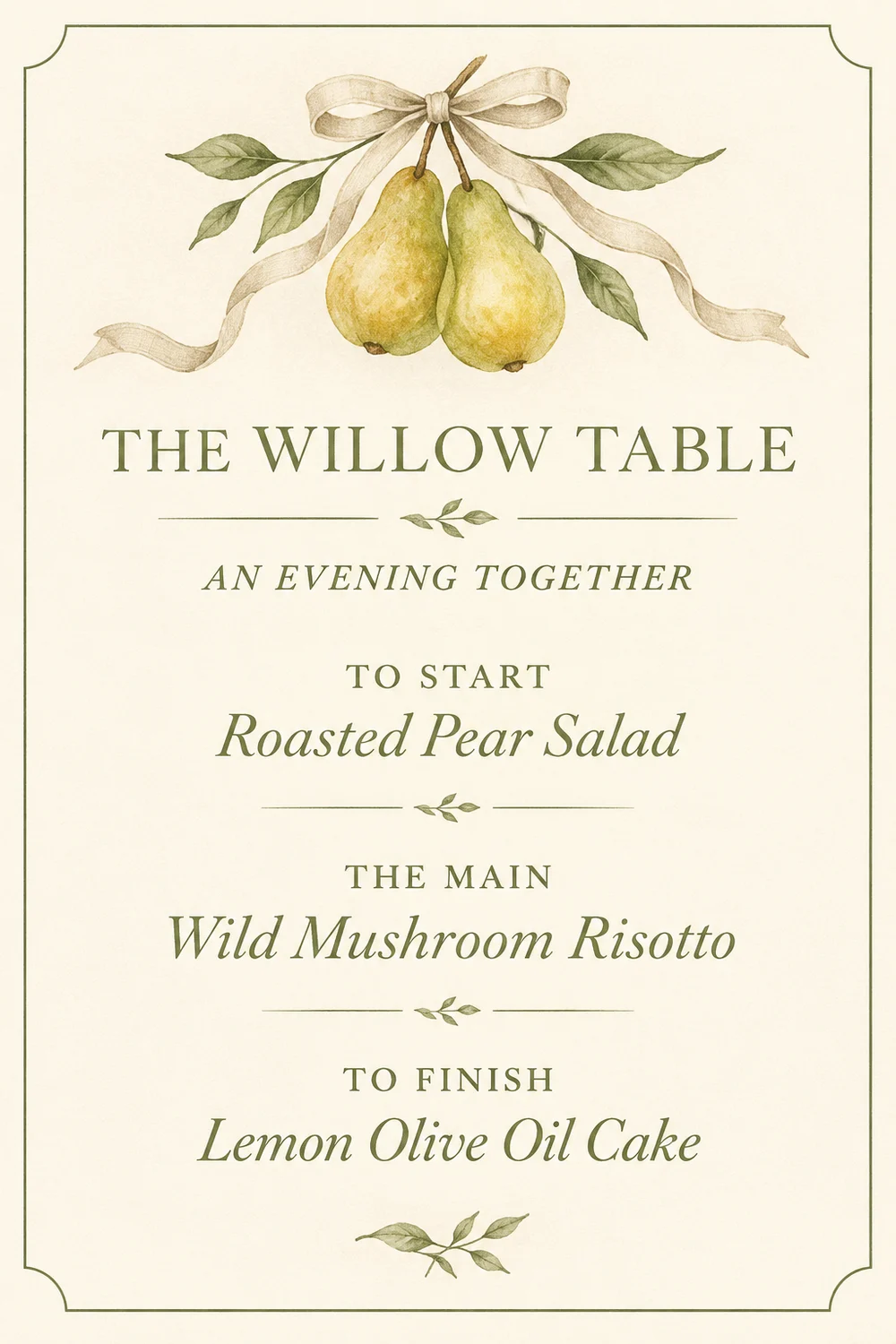
Bring the essentials
- Occasion
- Course names
- Dish list
Choose a visual direction and adapt the description before generating. Turn on optional design refinement if you want help with composition, colors or layout. Keep your facts and exact wording in the brief.
Build around the courses
An event menu has a reading sequence. Name each course and keep descriptions concise, especially on a narrow card. Add host names, a date or a table number only when you want them included.
Leave space for the setting
The artwork should suit the table, flowers and stationery around it. Describe the palette and mood, then keep the dish wording fixed while exploring different treatments.
See the idea take shape
Explore the image. Open the prompt. Change the details that make it yours.
Willow Table dinner menu
Original AI-generated example.
See the exact prompt
Make one original finished flat artwork, not a mockup. Use only the exact supplied text; do not invent prices, dates, contact details, claims or logos. All text must be readable. No watermark or AI label. A beautiful contemporary dinner-party menu: ivory background, olive-green lettering, tiny hand-drawn pear and linen-ribbon illustration, generous whitespace. Exact text: 'THE WILLOW TABLE', 'AN EVENING TOGETHER', 'TO START', 'Roasted Pear Salad', 'THE MAIN', 'Wild Mushroom Risotto', 'TO FINISH', 'Lemon Olive Oil Cake'. Elegant editorial typography and three clear courses.
A few useful answers
Can I add guest names?
You can include supplied names. Check their spelling and generate the appropriate individual artwork for each guest.
Is the image ready for professional printing?
Check the required trim, bleed, dimensions and resolution with your printer. A generated menu image does not establish those specifications automatically.