An idea to make your own
Drink Menu Design: Cocktails, Wine & Coffee
Create a cocktail, wine or zero-proof menu with a clear hierarchy and exact prices. The Juniper Room example shows how a small list can feel distinctive without dense decoration.
Start creating Explore the examples ↓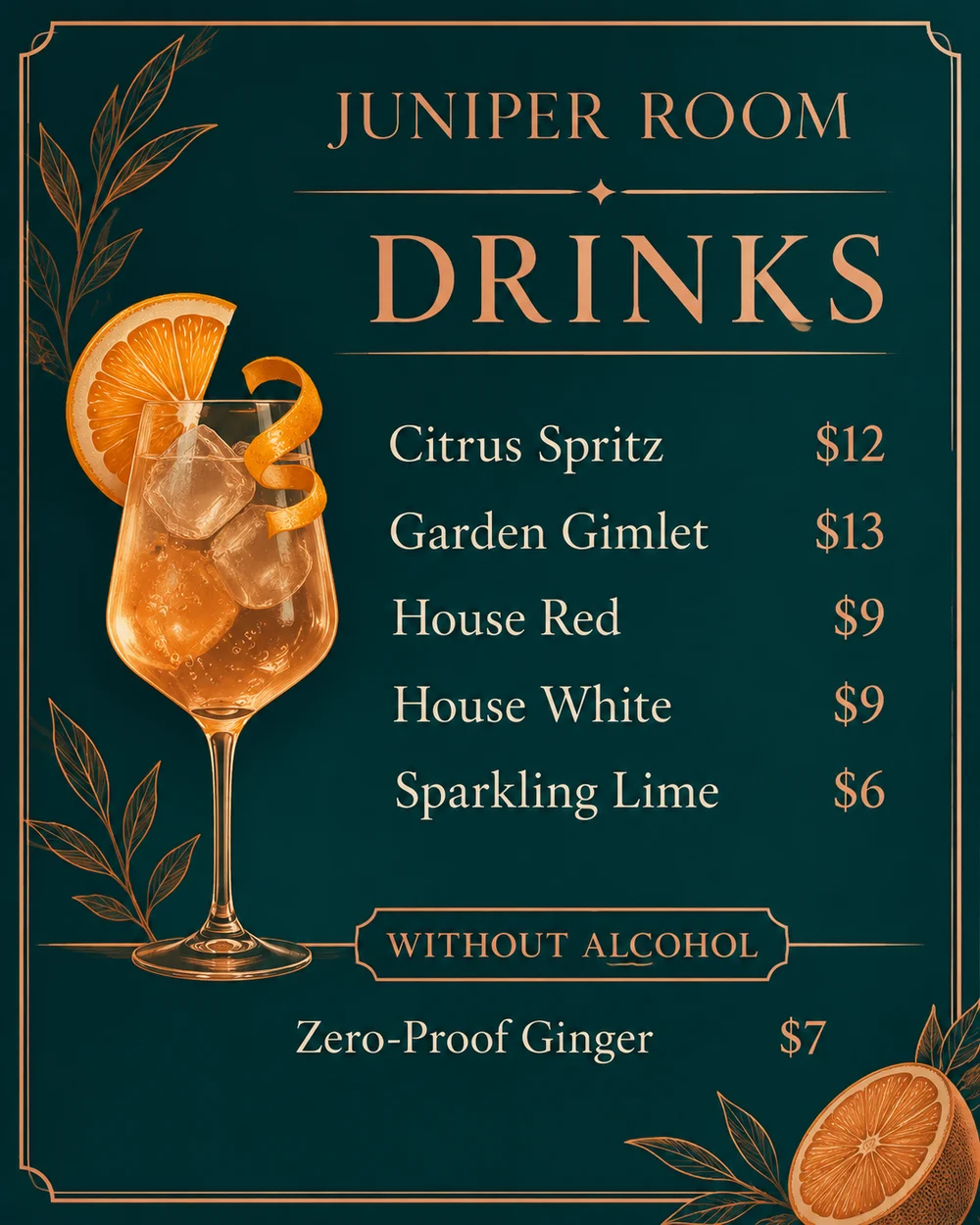
Bring the essentials
- Venue
- Drinks and prices
- Serving labels
Choose a visual direction and adapt the description before generating. Turn on optional design refinement if you want help with composition, colors or layout. Keep your facts and exact wording in the brief.
Separate choices that matter
Group alcoholic and zero-proof options clearly. If you include serving sizes or measures, provide those facts explicitly. Do not make customers guess which price belongs to a glass or a bottle.
Use one visual motif
A citrus line drawing or a single illustrated glass can establish the mood. Let the names and prices stay more prominent than decorative ingredients.
See the idea take shape
Explore the image. Open the prompt. Change the details that make it yours.
Juniper Room drinks menu
Original AI-generated example.
See the exact prompt
Make one original finished flat artwork, not a mockup. Use only the exact supplied text; do not invent prices, dates, contact details, claims or logos. All text must be readable. No watermark or AI label. Design an elegant cocktail-bar drinks menu, warm midnight teal with copper line illustrations of a citrus twist and tall glass, spacious typographic hierarchy and aligned prices. Exact text: 'JUNIPER ROOM', 'DRINKS', 'Citrus Spritz $12', 'Garden Gimlet $13', 'House Red $9', 'House White $9', 'Sparkling Lime $6', 'Zero-Proof Ginger $7'. Keep zero-proof drinks in a separate small section headed 'WITHOUT ALCOHOL'.
A few useful answers
Can I add tasting notes?
Yes. Supply short approved notes beside each drink; review their placement and spelling.
Can I make a separate wine list?
Use the same structure with your wine names, vintages and serving prices. Check every factual detail before sharing.